Product Designer | UX ResearcherDevelop for Good, Pride FamilyLaunched

Designed Key Trust Flows for an LGBTQIA+ Support Platform

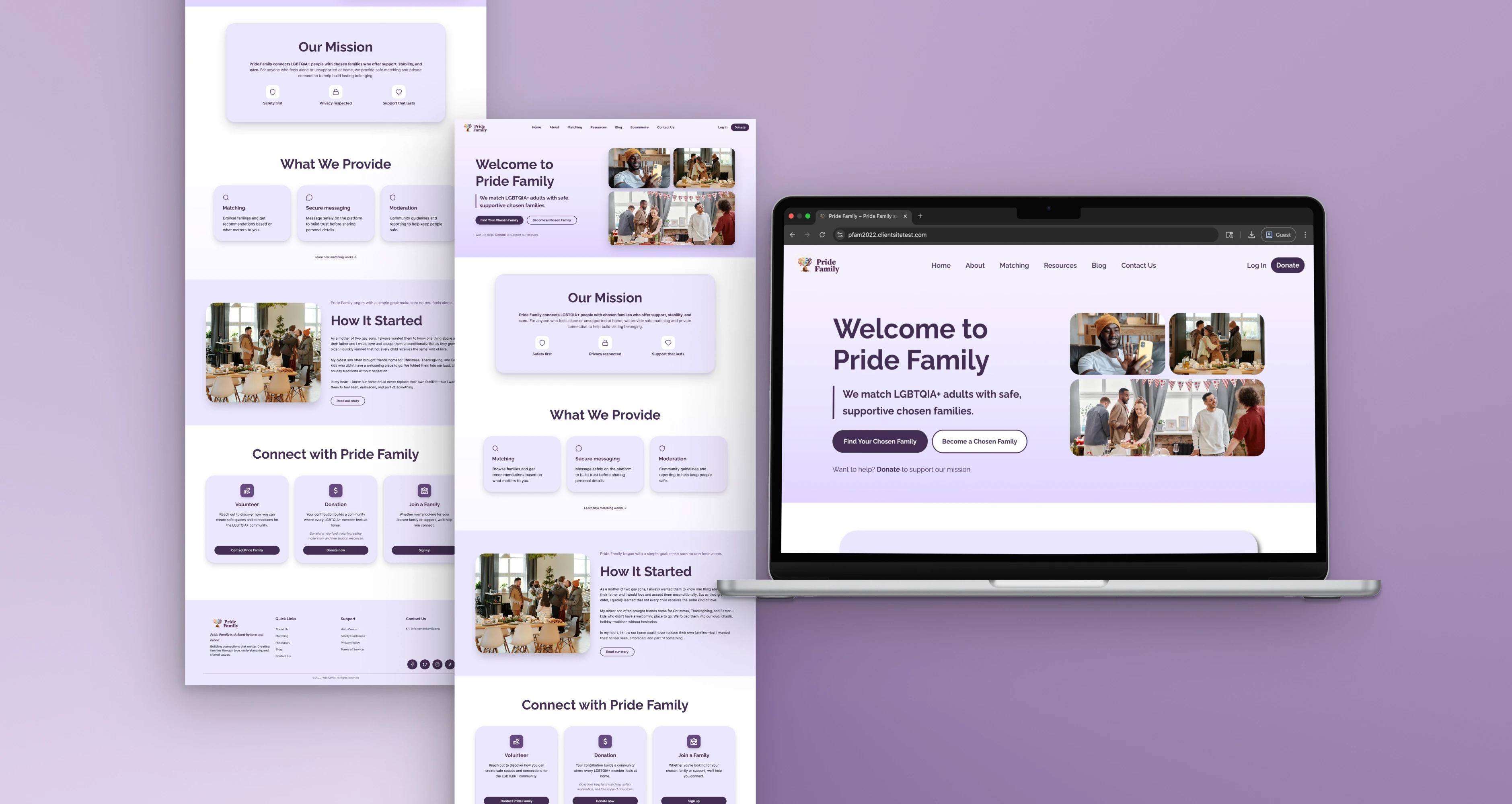
Designing a coherent, accessible site for an LGBTQIA+ nonprofit. From sitemap through to a responsive build with working donation and authentication flows. Through Develop for Good, I worked with a PM, TPM, designers, and engineers to refine key flows, incorporate usability feedback, and support a maintainable WordPress launch.
Role
Product Designer | UX Researcher
Team
PM, TPM, 3 Designers, 3 Engineers
Timeline
Oct 2025 – Feb 2026 (18 weeks)
Tools
Figma, WordPress, Spectra, Donorbox, HTML/CSS, Notion
Platform
Web · Mobile
Status
Launched
Designed Key Trust Flows for an LGBTQIA+ Support Platform
Overview

A trust-first website for LGBTQIA+ adults seeking connection and support

Pride Family helps LGBTQIA+ adults find chosen family through a matching program, while offering practical resources and a clear way to support the mission through donations. The site needed consistency, clearer pathways, and working fundamentals so visitors could understand the program quickly, take action with confidence, and get help without hunting. I served as lead designer, collaborating closely with the PM and TPM to align on scope and priorities.

6
Pages Standardized
Reusable patterns
100%
Brand Cohesion
Usability test rating
6
Usability Participants
Iterated on findings
18 wk
Timeline
Oct 2025 – Feb 2026
Target Users

Two distinct users with very different needs

01
Primary User

LGBTQIA+ Adult Seeking Connection

Someone arriving with urgency and looking for community, safety, and resources without barriers.

Goals & Needs
  • Understand what Pride Family offers quickly
  • Find resources without hunting
  • Learn how matching works and what to do next
02
Secondary User

Supporter Who Wants to Donate

A motivated donor who needs to trust the organization before committing funds.

Goals & Needs
  • Confirm the org is legitimate
  • Complete a donation with confidence
  • Receive a clear confirmation moment
Constraints

What shaped the decisions

Every design decision ran through these four constraints.

01

Sensitive user context, where privacy and safety mattered as much as usability

02

A low-code WordPress stack, which shaped what could be implemented and maintained long term

03

Limited launch analytics, which made usability testing the main source of signal during iteration

04

Multiple user roles with different permissions and workflows

The Problem

A site that needed to earn trust fast

Pride Family needed a complete, coherent website that could explain the mission, guide visitors into matching and resources, and support donations without confusion. The challenge was not just to “design a nonprofit website.” The real challenge was making a trust-sensitive platform feel safe and understandable for users arriving with urgency, while keeping the implementation realistic in WordPress for long-term client maintenance. That meant balancing user clarity, privacy, moderation needs, and technical feasibility across sign-up, matching, messaging, and admin functionality. So we built the full experience, then focused on the moments where uncertainty causes drop-off.

"What should a user do next, and can they do it without doubt?"

Problem context
Strategy

Clarity as a design principle, not just an aesthetic

Goal: Ship a complete site that makes the next step obvious for each visitor type

Rather than optimizing for visual novelty, the entire strategy was oriented around reducing uncertainty at decision points.

Principles

Make navigation predictable — clarity beats cleverness

Consistency is a trust signal

Reduce decision load at high-intent moments

Build patterns the team can maintain

Working Hypotheses

If we clearly explain matching and resources with consistent CTAs, more visitors will take an action instead of bouncing.

If the trust flows feel straightforward, users will finish login recovery and donation completion with less hesitation.
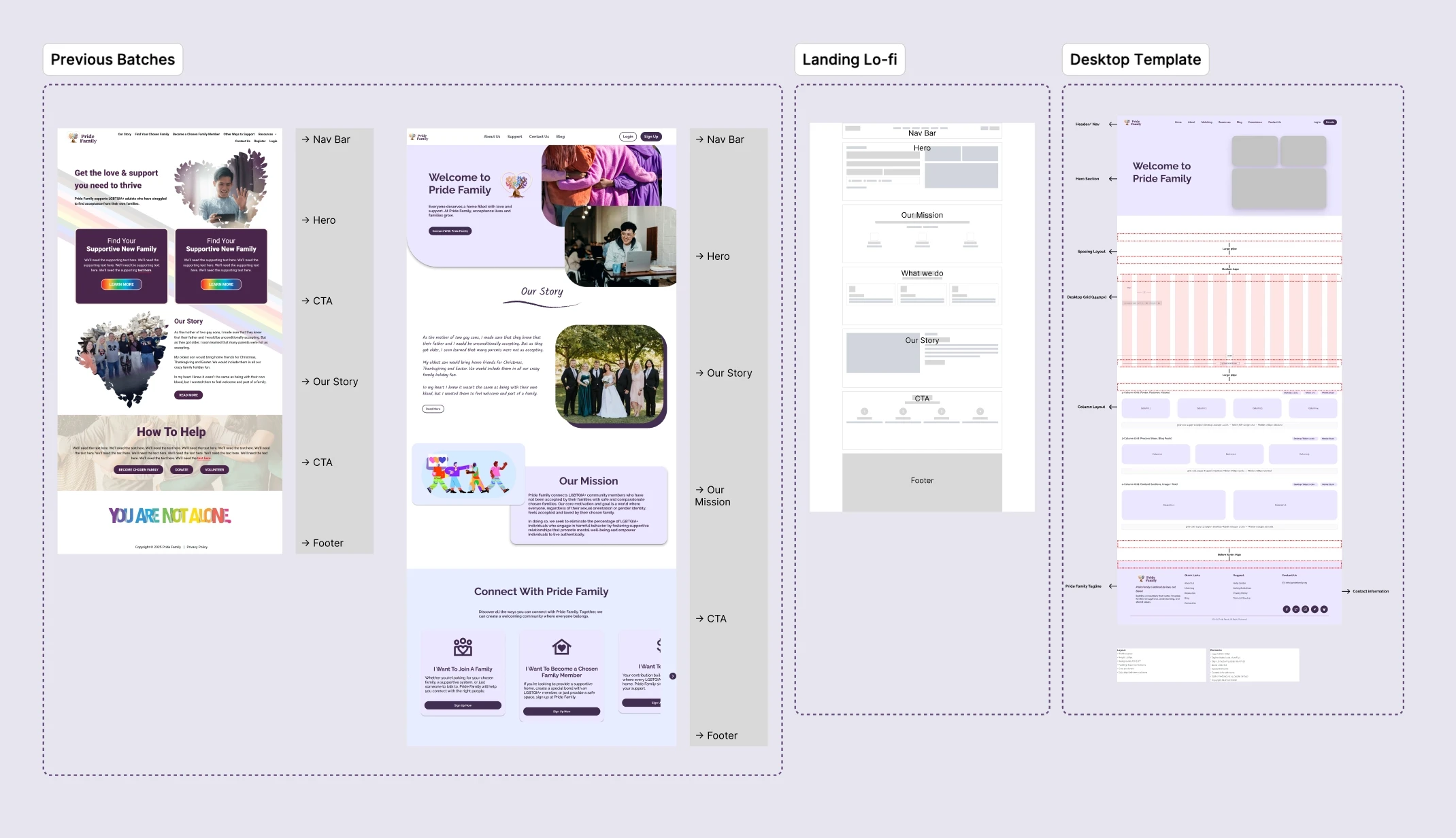
Gallery 1
Defining Design Requirements
Gallery 2
Defining Design Requirements
Prioritization

What we built, in what order, and why

A complete site creates comprehension. Trust flows protect conversion and credibility. So we standardized first, then shored up the moments where uncertainty causes drop-off.
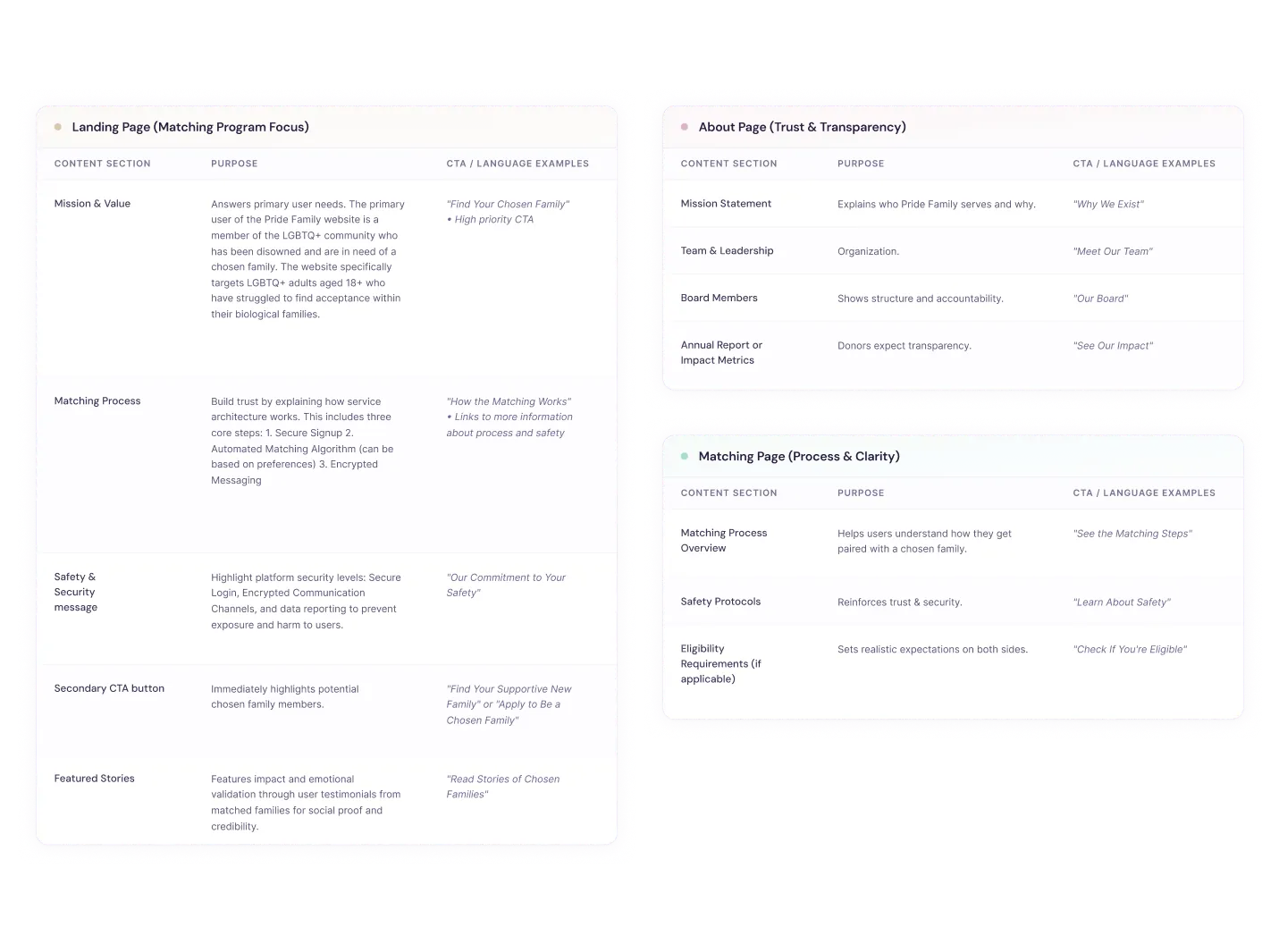
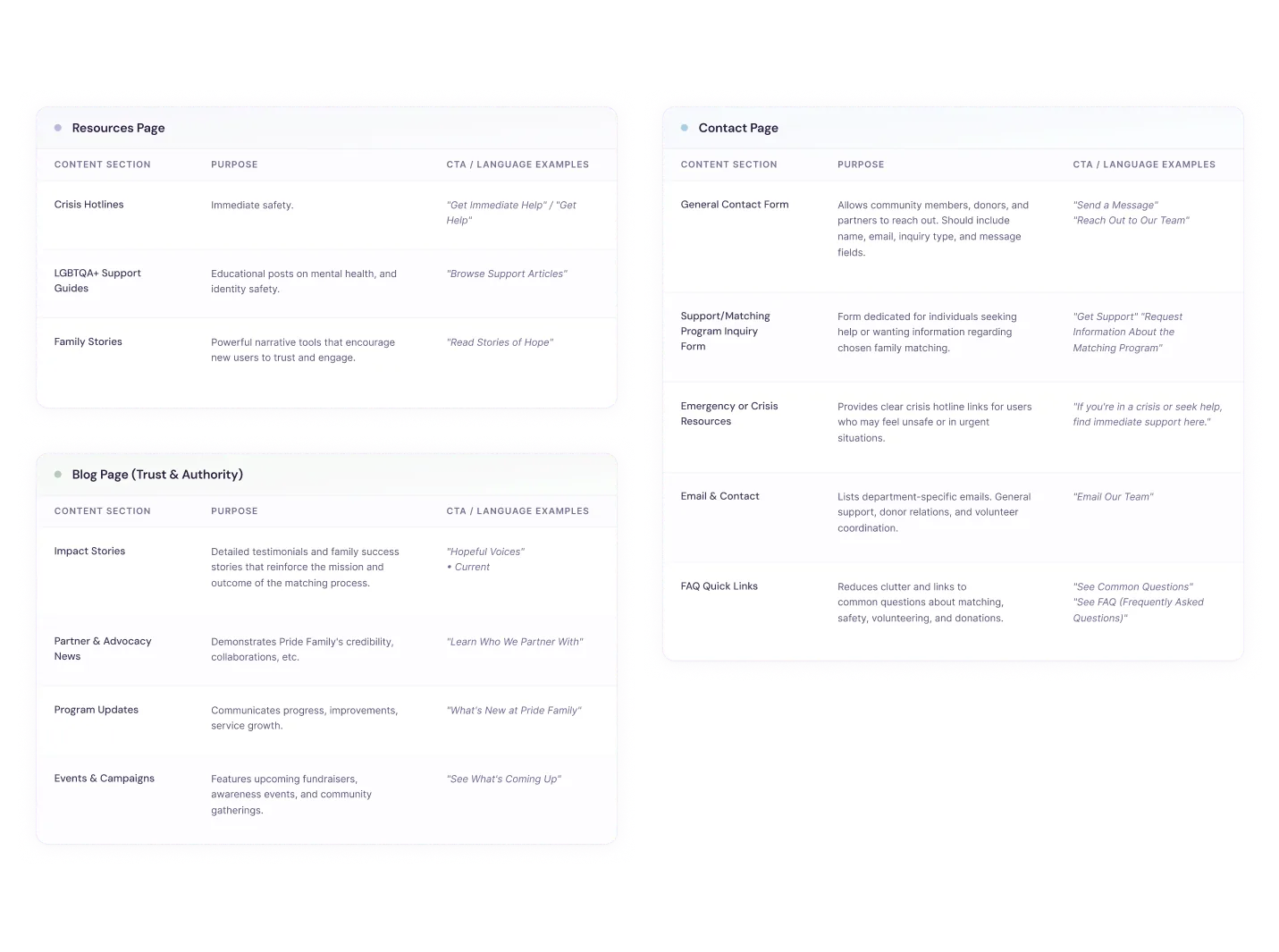
🏗️Built First
  • A reusable page pattern system — every page feels like the same product
  • A single CTA framework — 'what next' is always obvious
Built Next
  • Login redesign
  • Forgot password flow
  • Donate confirmation modal using Donorbox embed
Intentionally Skipped
  • Deep backend rewrites
  • Full content rewrite
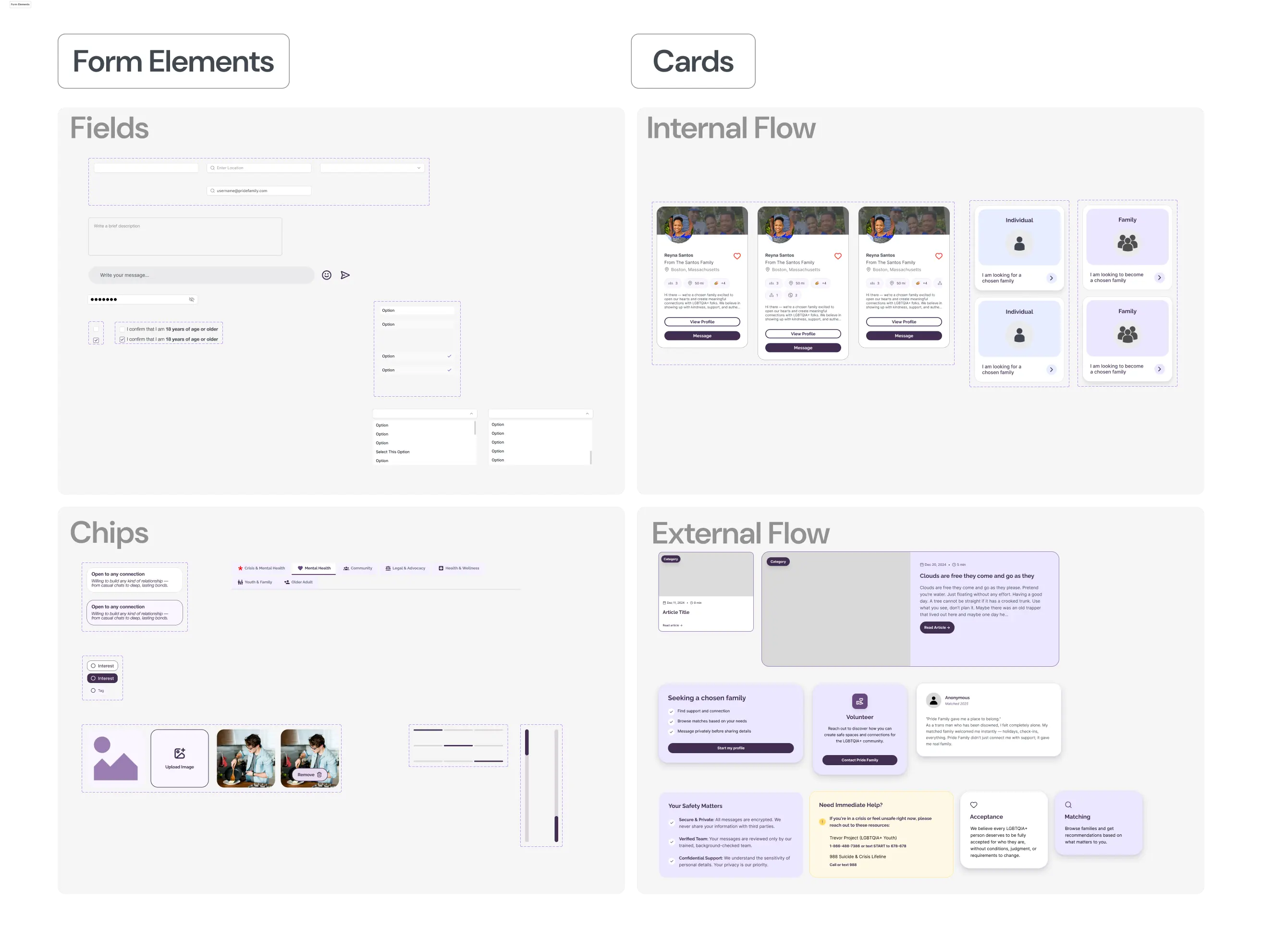
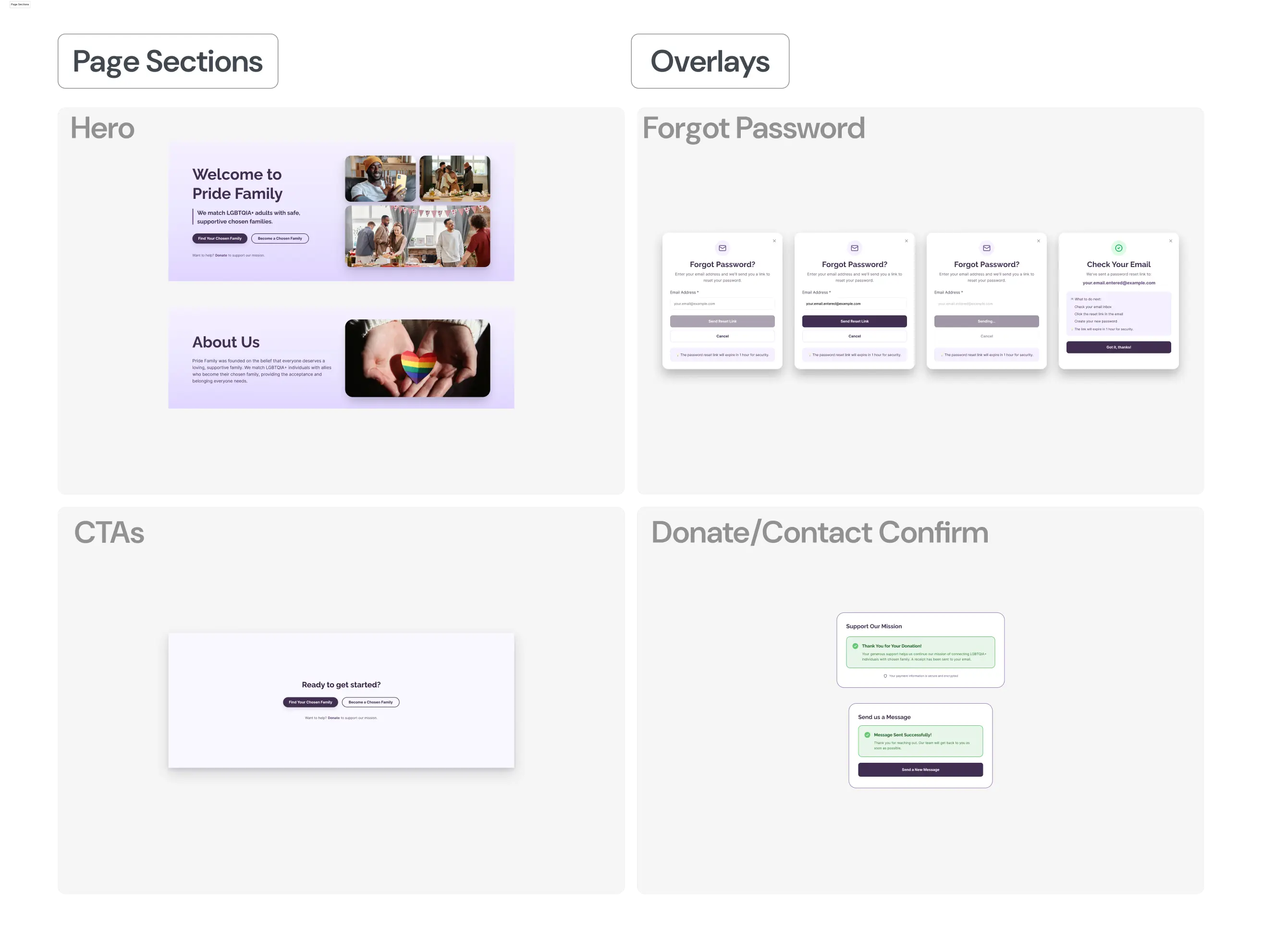
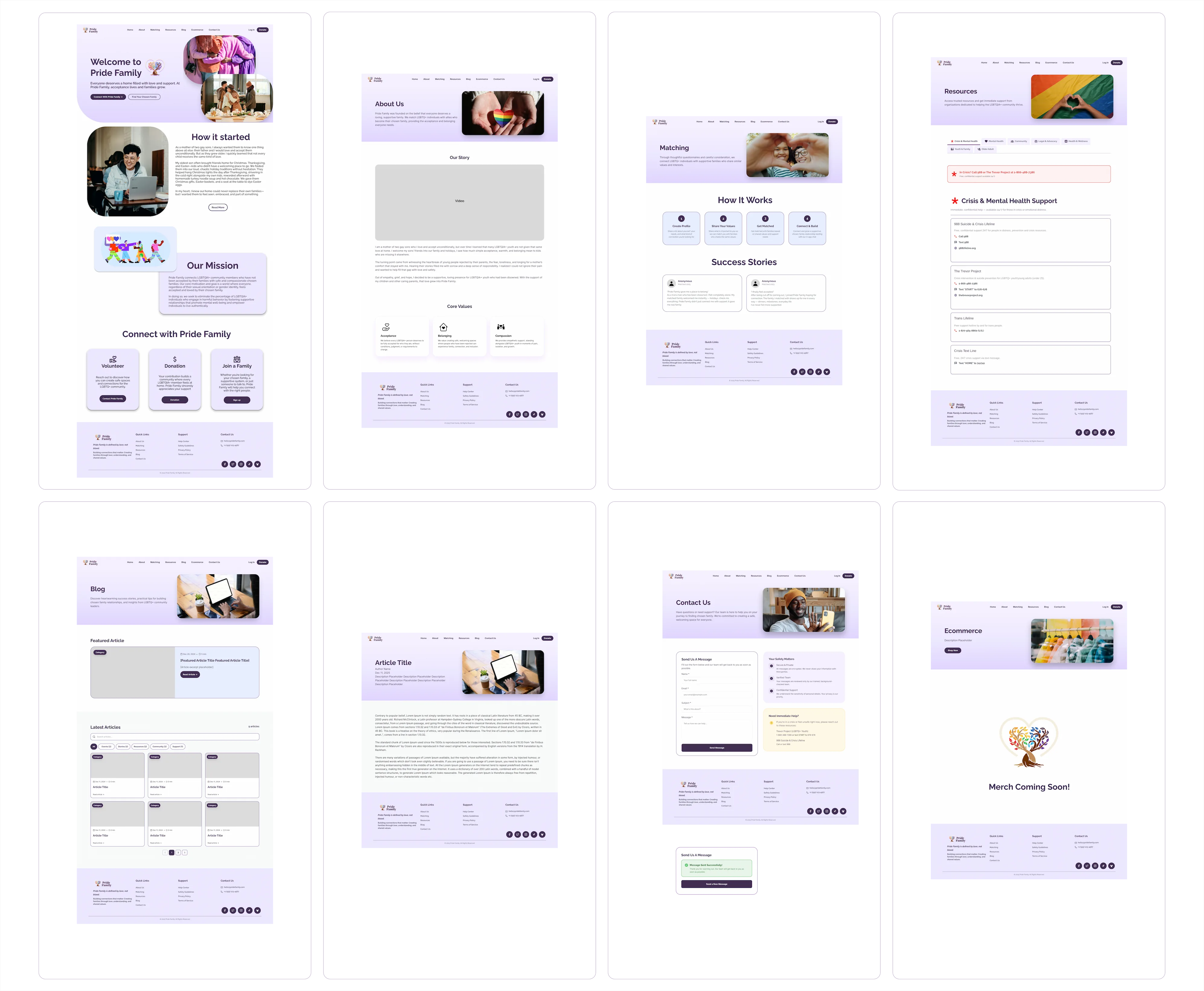
Gallery 1
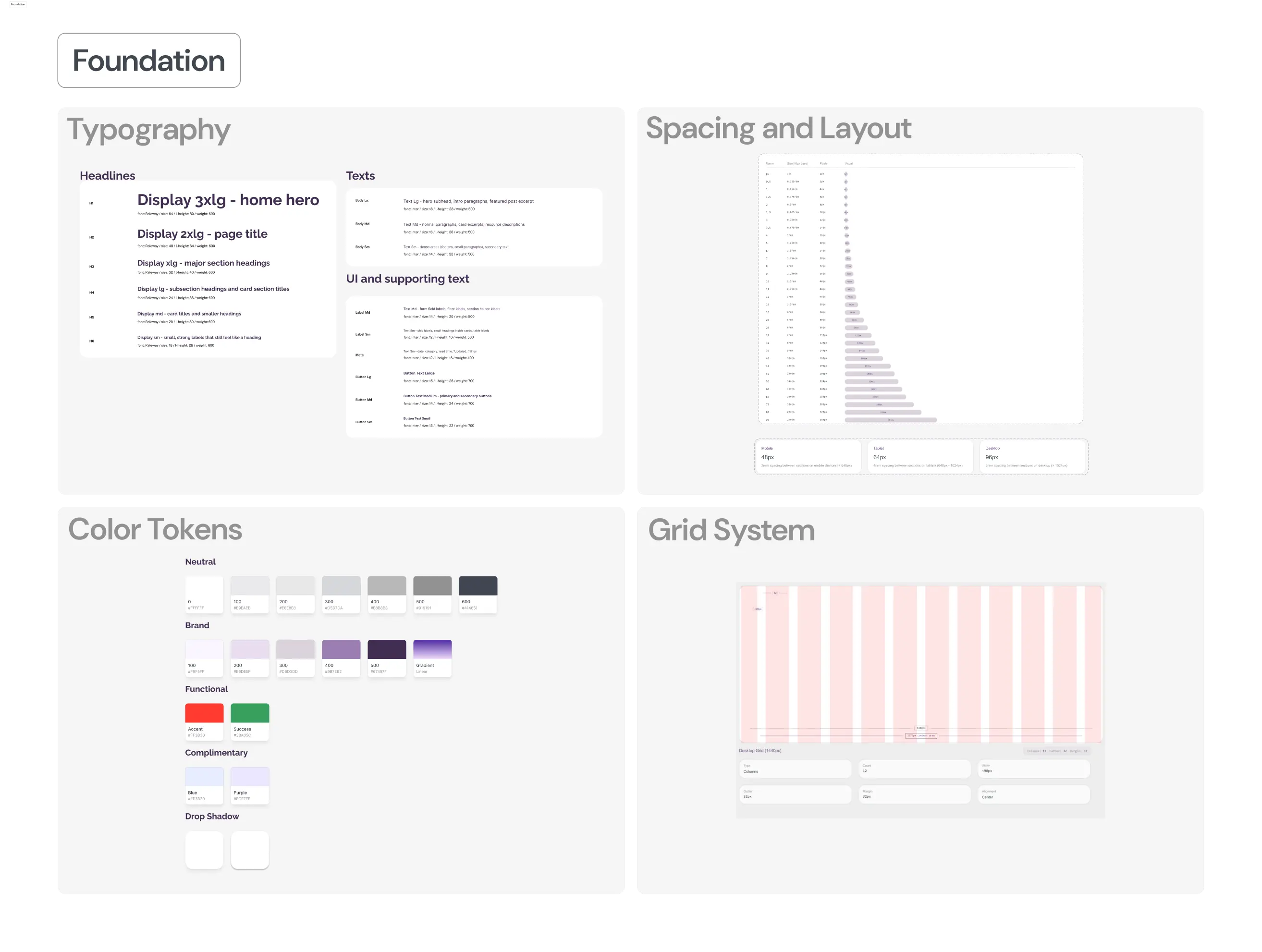
Global Design System
Gallery 2
Global Design System
Gallery 3
Global Design System
Gallery 4
Global Design System
Execution

Eight steps from sitemap to shipped

A lean, structured process where each phase had a clear output — so nothing drifted.

01

Site Map & Content Structure

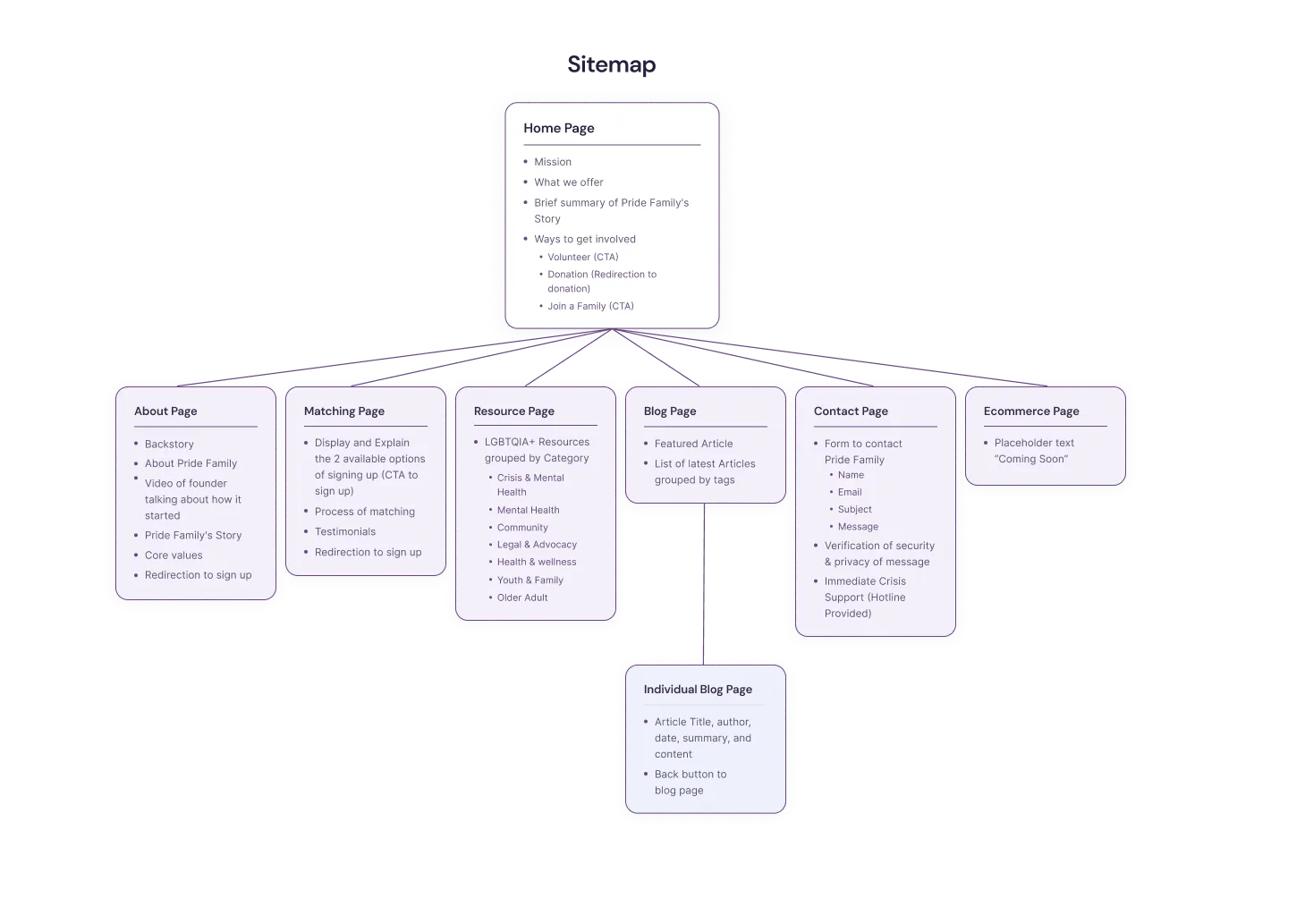
Translated the org's goals into a simple site structure with six pages, then set a consistent layout rhythm so the website felt like one product.

OUTPUT

A clear information architecture and page-level structure for build.

Step 1 image 1
02

Audit & Journey Mapping

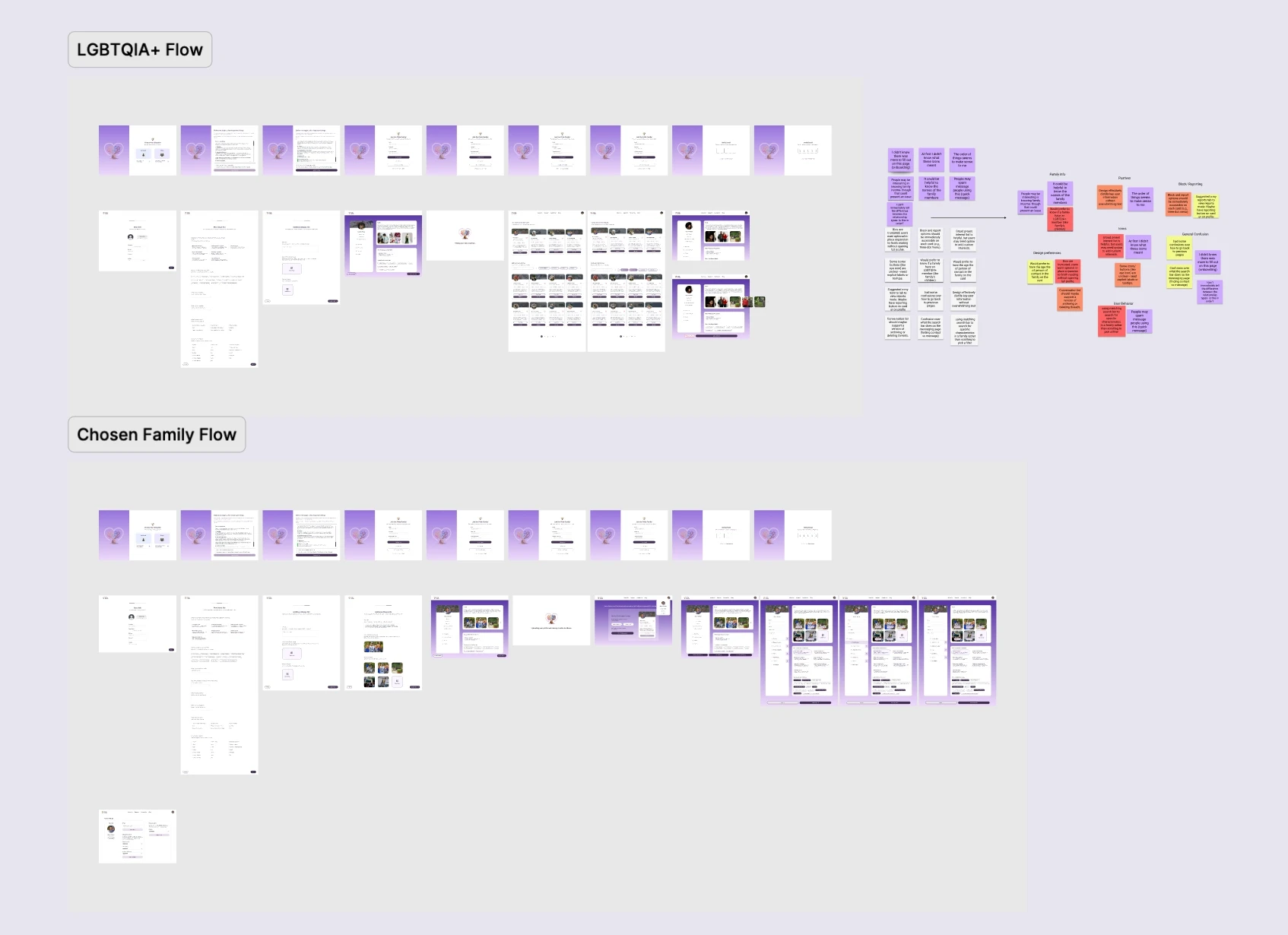
Audited 14 inherited screens for usability and consistency issues before rebuilding. Mapped the three highest-intent paths (find chosen family, get resources, donate) then listed friction points where users would hesitate or bounce.

OUTPUT

A prioritized backlog grouped by trust friction, pathway clarity, and conversion moments.

Step 2 image 1
03

Core Pages Build

Created six pages with consistent navigation, hierarchy, and CTAs. Header/footer consistency, hero structure, spacing rhythm, button hierarchy.

OUTPUT

A complete website with a repeatable template approach.

Step 3 image 1
04

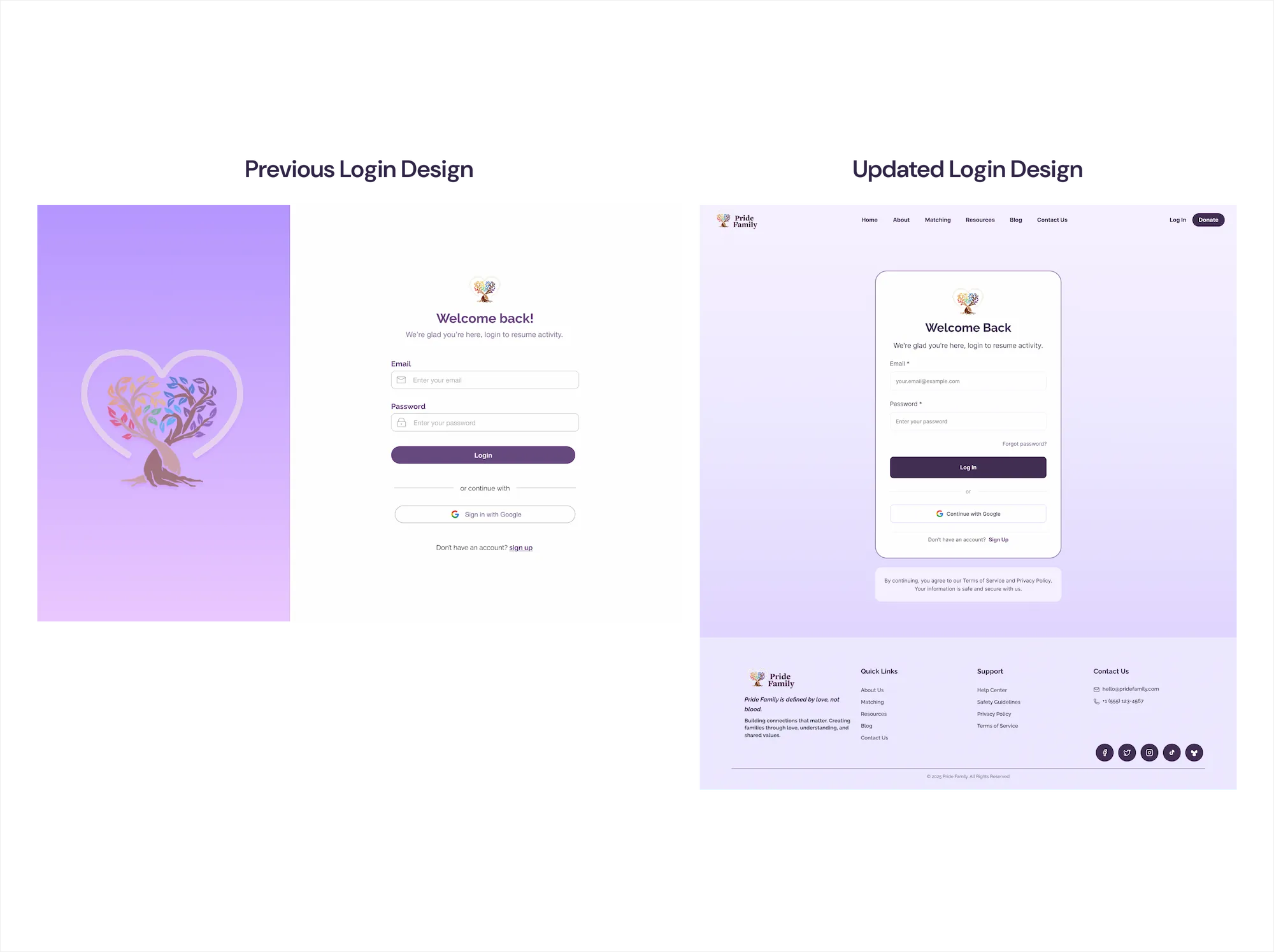
Login Redesign

Redesigned the login page to reduce confusion and make account entry feel clean and safe. Copy, hierarchy, and error handling treated as part of the product.

OUTPUT

A redesigned login screen aligned to the site's trust tone.

Step 4 image 1
05

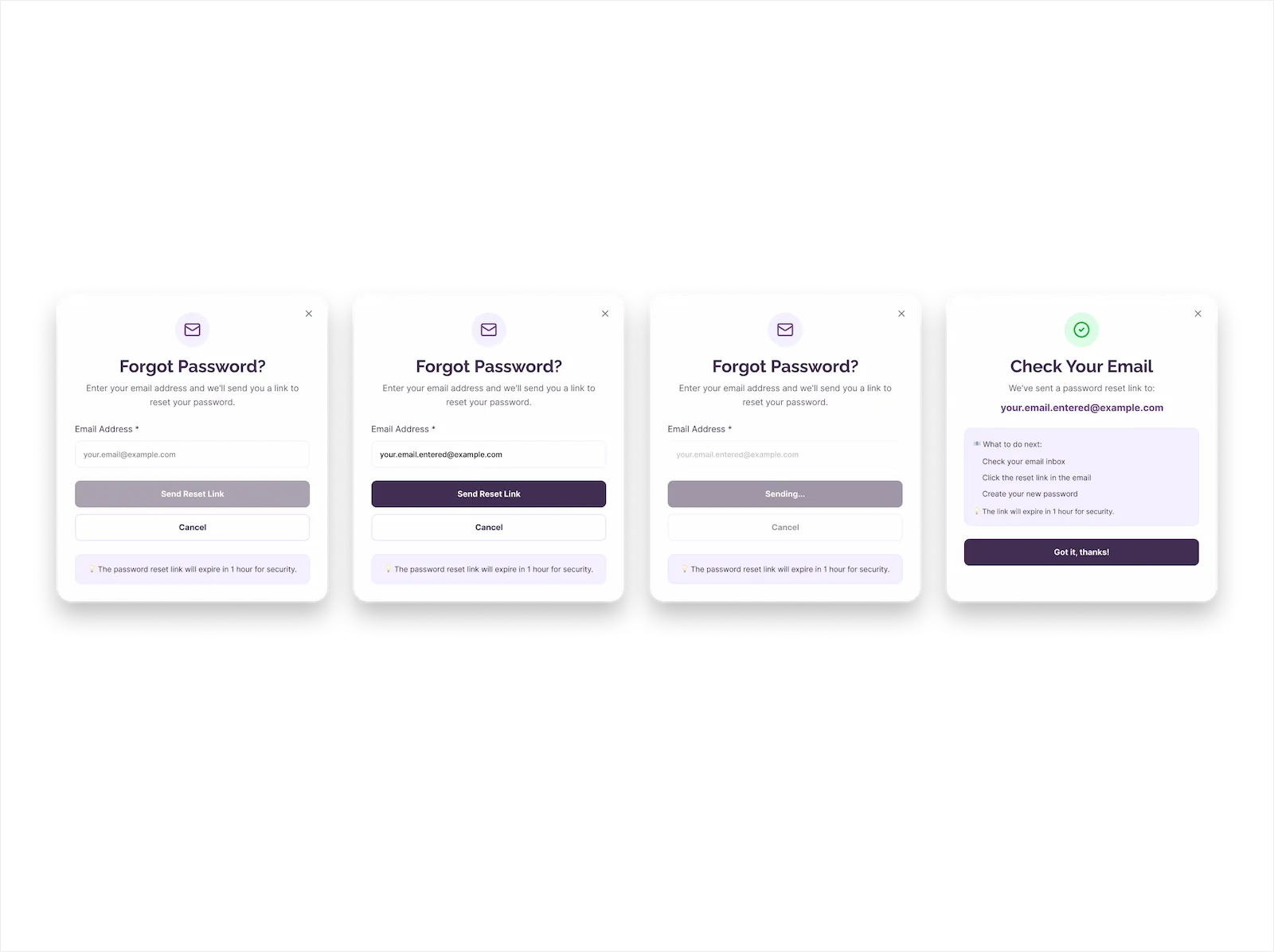
Forgot Password Flow

Designed the full forgot-password path so recovery steps feel obvious and the user is never forced to guess what happens next.

OUTPUT

A clear recovery experience that supports retention.

Step 5 image 1
06

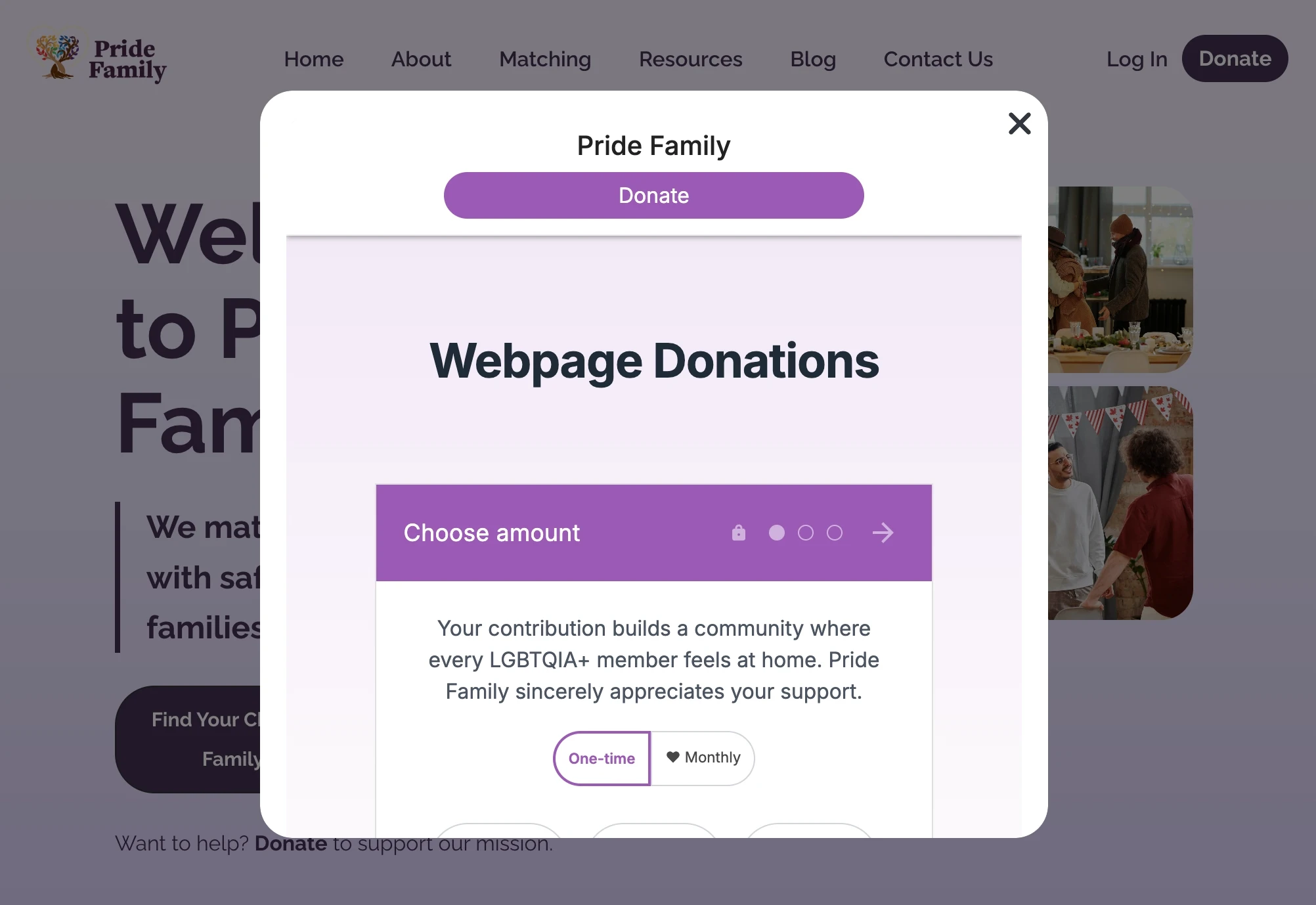
Donation Flow Build

Implemented a donation modal experience using Donorbox so users could donate without leaving context. CTAs consistently placed across core pages.

OUTPUT

A working modal flow and a donation entry pattern the team can reuse.

Step 6 image 1
07

Usability Testing & Iteration

Ran a 6-participant usability test focusing on first-time comprehension and speed to key actions — matching, resources, donate, contact.

OUTPUT

Changes shipped immediately, plus a second-wave backlog.

Step 7 image 1
08

QA & Launch Readiness

Checked responsiveness, spacing, and legibility across desktop, tablet, and mobile. Finalized page-level polish.

OUTPUT

A launched site with a maintainable structure.

Step 8 image 1
Testing & Iteration

Remote usability testing with 6 participants

Testing focused on first-time comprehension — could a new visitor understand the mission, navigate to key actions, and complete trust flows without hesitation?

Method: Remote usability testing, 6 participants
Tasks Tested
  • 01Explain what Pride Family does in your own words
  • 02Find how matching works and what you would do next
  • 03Find resources for immediate support
  • 04Find where donating fits into the experience
  • 05Interpret the login and recovery experience
  • 06Find how to contact the team
Key Findings
  • Users responded well to a clear mission and direct calls to action
  • Some users hesitated on the resources page when categories were not immediately obvious
  • Donation intent increased when Donate was consistently visible and not buried
  • Users trusted the site more when pages shared consistent structure and tone
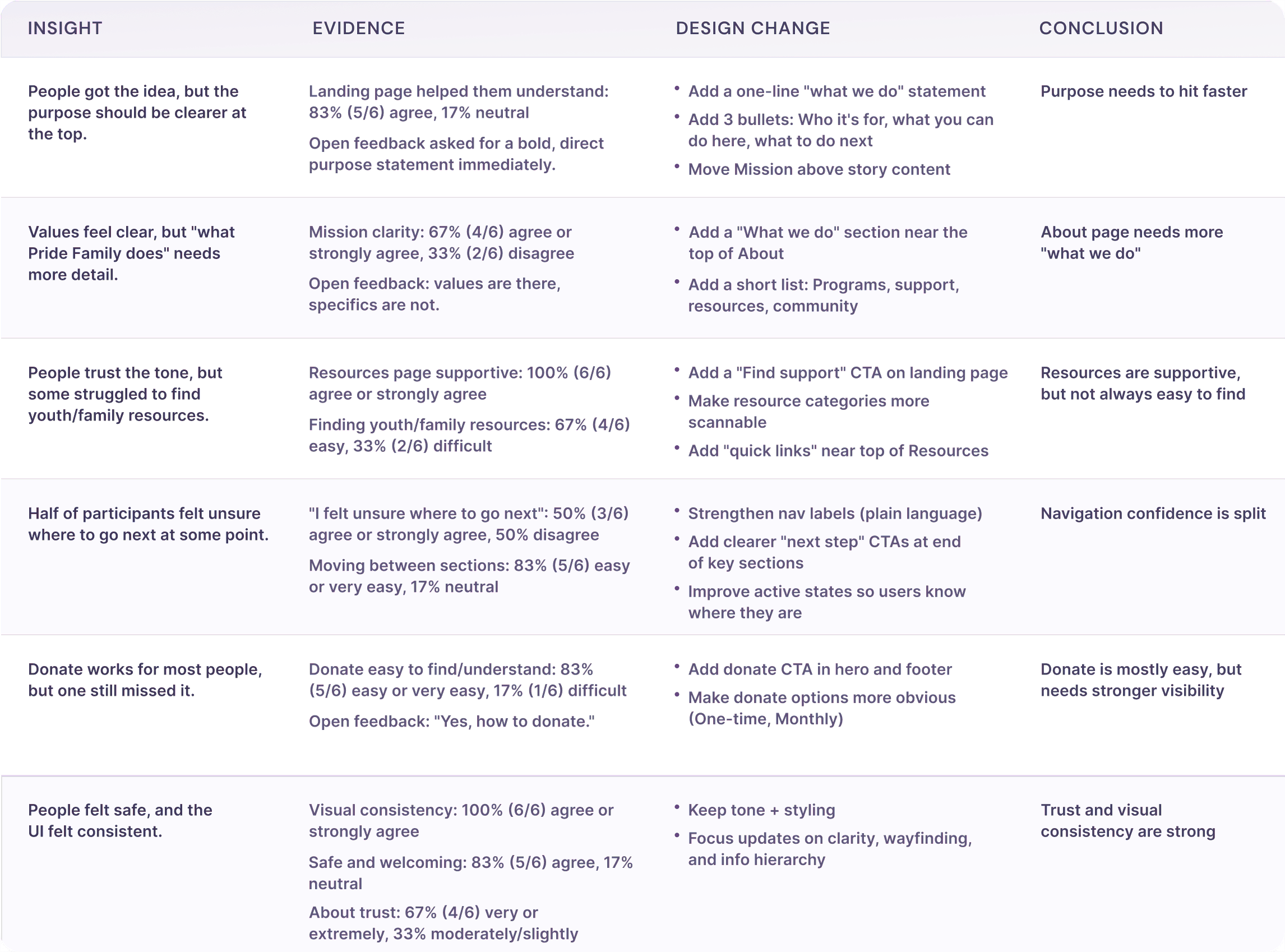
Changes Shipped
  • Simplified navigation cues and reinforced primary CTAs on key pages
  • Improved scannability on resources by tightening hierarchy and clarifying labels
  • Reduced unnecessary variation in page sections so users did not have to relearn patterns
"

"The website was easy to navigate so that felt good."

Usability Test Participant

"

"Uplifting, safe."

Usability Test Participant

"

"Happy, comfortable."

Usability Test Participant

Results

Shipped scope plus usability evidence

Because analytics were not yet available at launch, results are framed as shipped scope plus usability evidence from testing.

7
Pages Created
End to end
100%
Brand Cohesion
Usability test rating
6
Test Participants
Iterated on findings
Responsive
Desktop, tablet, mobile
Shipped Scope
6 pages created end to end — Home, About, Resources, Matching, Blog, Ecommerce
Login redesigned for clarity and reduced friction
Forgot password flow designed
Donation modal flow implemented with Donorbox embed
All pages standardized with reusable layout patterns
Responsive layout verified across devices
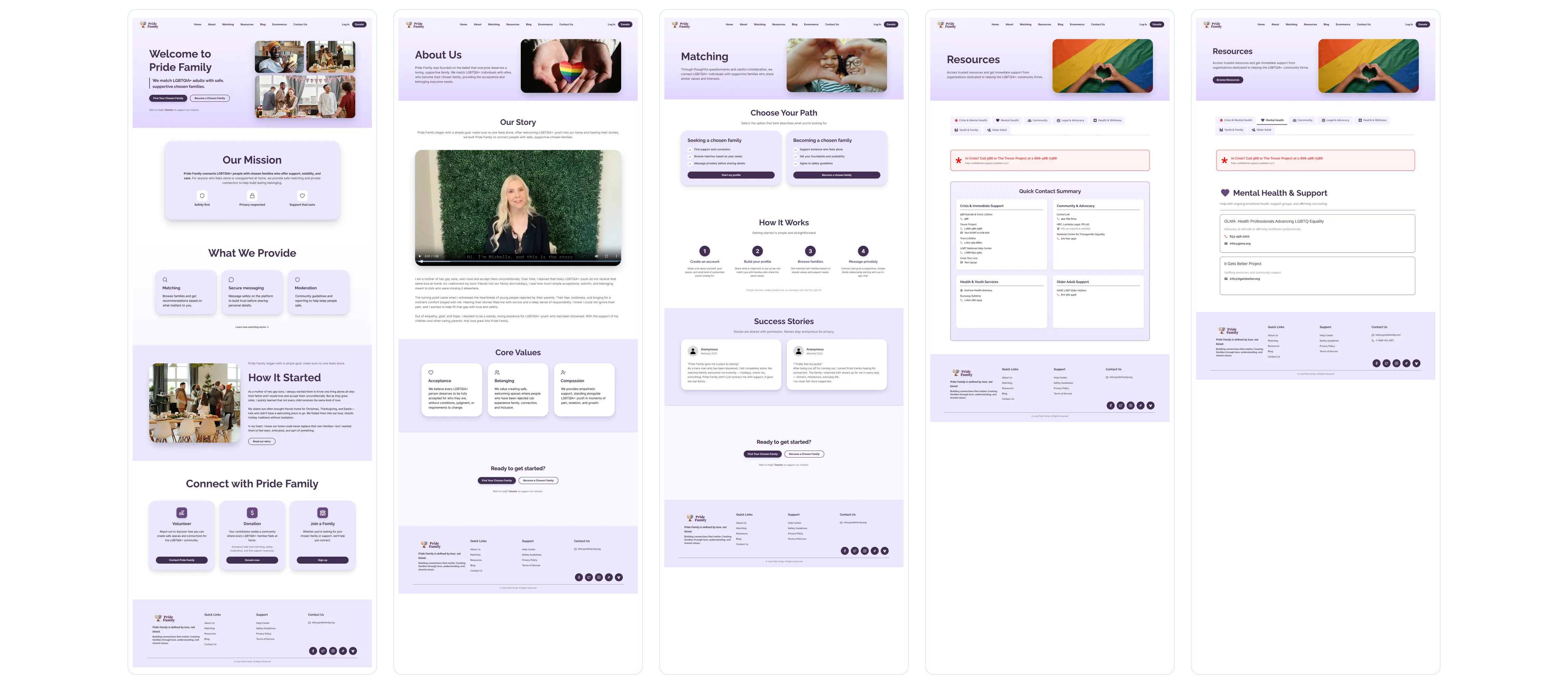
Gallery 1
High-fidelity designs
Gallery 2
High-fidelity designs
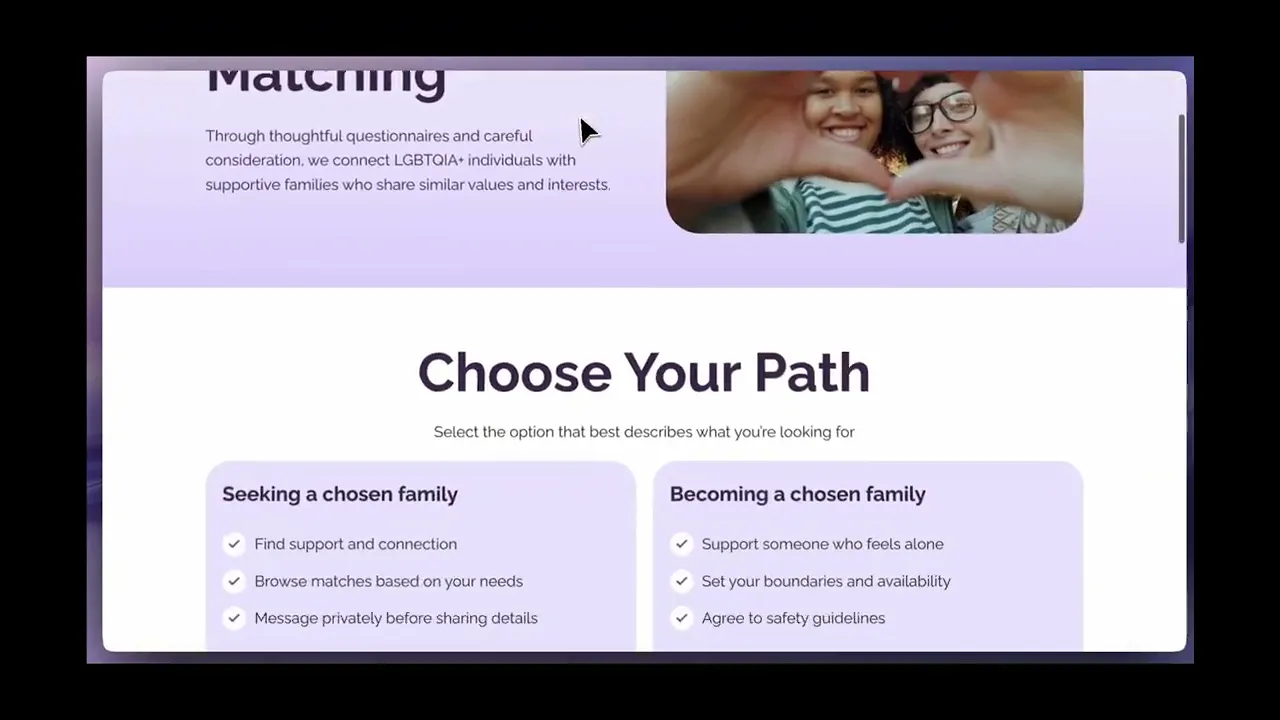
Demo

See it in action

Website demonstration

Website demonstration

"

"Develop for Good has been an amazing partner, helping Pride Family grow and make a real impact."

Michele Ellenberger
Pride Family Founder
What I'd Do Next

If I kept going

These are the highest-leverage moves I'd pursue in the next sprint.

📊Measurement
  • Add event tracking for Match CTA clicks
  • Track resource outbound clicks
  • Measure donate CTA engagement by page position
  • Track login recovery completion rate
🔬Experiments
  • Test homepage CTA order — Start matching vs View resources vs Donate
  • Test donation CTA placement — header only vs header + mid-page
  • Test resources presentation — top tasks first vs categories first
Product Improvements
  • Add lightweight resource search or filter
  • Add stronger trust cues near donations — where funds go, privacy note
  • Add a matching pathway explainer that reduces uncertainty in the first 30 seconds
Reflection

The work that mattered most was invisible

Building the full site forced a clear product question: what should a user do next, and can they do it without doubt? The work that mattered most was not visual polish — it was reducing uncertainty at decision points. This project reminded me that product work is often quiet. The biggest wins came from removing friction, not adding features, and building a system the team could maintain after the sprint ended.

When your audience arrives with urgency, predictability becomes kindness — and kindness becomes conversion.

Get in Touch

Let's connect to create together.

I'm always open to conversations, collaborations, and interesting opportunities about product and growth.

© Liana Ngo · 2026Made with intention
.gp2-mc, .gp2-pc, .gp2-step { border: 1.5px solid rgba(99,102,241,0.20) !important; }